

I used to think tired eyes were just part of adult life. Then I spent three years staring at monitors for ten hours a day, and I finally understood how to fix eye strain the hard way — through trial, error, and a lot of squinting.
If your eyes feel heavy, dry, or achy by evening, you’re not imagining it. Laptops, phones, endless scrolling — our eyes take the hit every single day. That burning, tired, unfocused feeling has a name: eye strain. It’s one of the most common complaints among people who sit at a desk or spend hours on digital devices.
People search for how to fix eye strain because the discomfort is real. It slows down work. It ruins reading time. It follows you into the evening. Here’s the good part: eye strain usually isn’t serious, and most people feel real relief through small, consistent habit changes. No expensive gadgets. No complicated routines. Just better habits, applied daily.
This guide covers what eye strain actually is, why it happens, how to relieve eye strain fast, and the daily habits that keep it from coming back.
Table of Contents
What Is Eye Strain, Really?
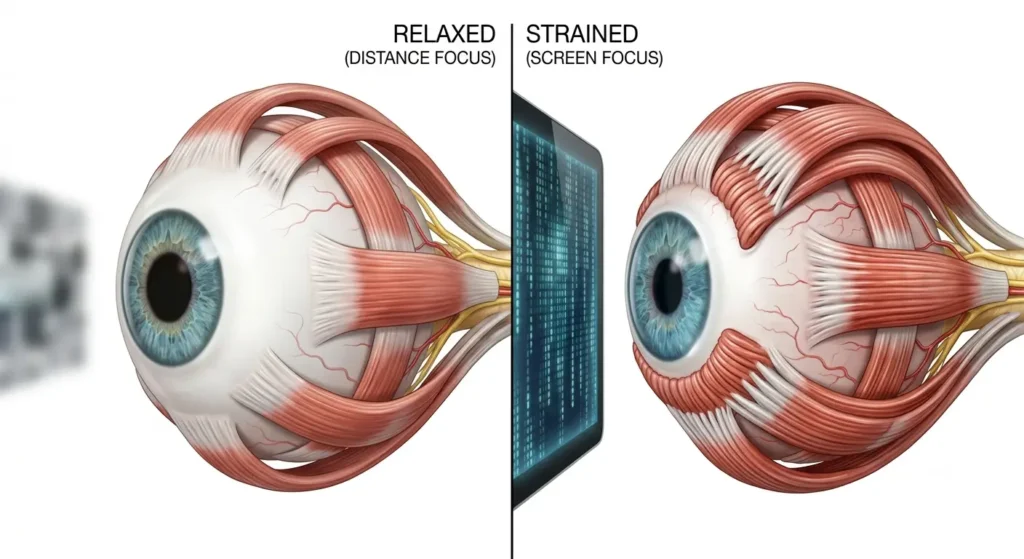
Eye strain — also called eye fatigue or asthenopia — happens when your eyes get tired from intense or prolonged use. It’s not a disease. Think of it as a warning light. Your eye muscles have been working overtime, and they’re telling you to slow down.
Your eyes are built to shift focus between near and far objects with ease. Fix your gaze on something close, like a screen or a book, for hours, and the muscles controlling that focus stay contracted far longer than nature intended. Fatigue builds. Discomfort follows. Understanding this mechanism is really the first step in learning how to fix eye strain — you can’t treat a problem you don’t understand.
Common triggers include:
- Long hours on a computer, tablet, or phone (this is digital eye strain, also called computer vision syndrome)
- Reading for extended periods, especially in dim lighting
- Driving long distances, particularly at night or in glare
- Detailed, close-up work such as sewing, crafting, or writing
- Not blinking enough, which dries out your eyes fast
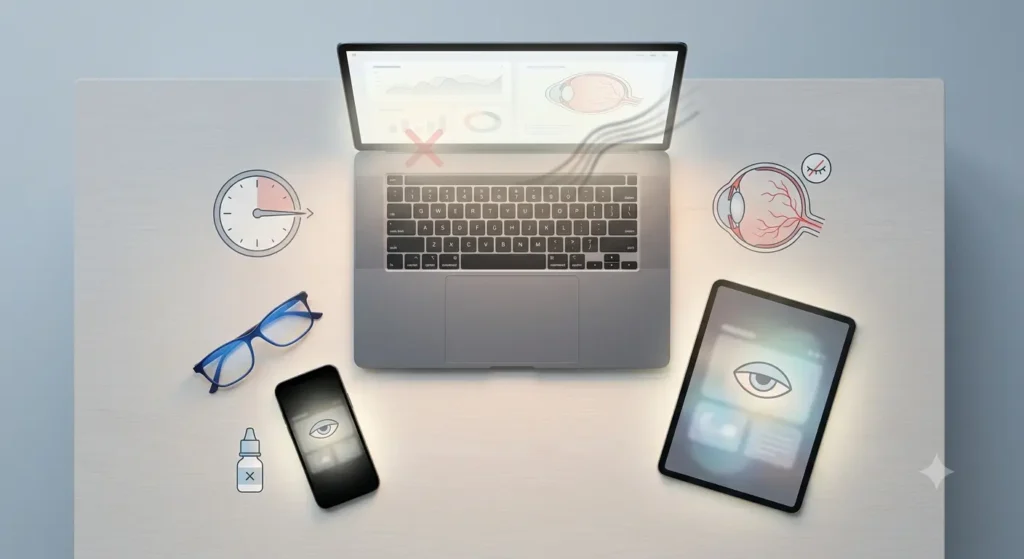
Digital eye strain deserves special mention. Screens stack several strain-inducing factors at once — close viewing distance, glare, blue light exposure, and reduced blinking, all happening together. That’s why computer eye strain relief has become such a common search. Millions of us are dealing with the exact same problem.
Eye Strain vs. Other Eye Conditions
It helps to know how eye strain differs from other eye issues, because the fix isn’t the same for each one.
| Condition | Main Cause | Typical Duration | Usual Fix |
|---|---|---|---|
| Eye strain / eye fatigue | Prolonged close focus, screen time | Hours, resolves with rest | Breaks, the 20-20-20 rule, better lighting |
| Dry eyes | Reduced blinking, environment | Can be ongoing | Artificial tears, humidifier |
| Digital eye strain | Screen glare, blue light, posture | Daily, work-related | Screen adjustments, breaks, eyewear |
| Refractive errors (near/farsightedness) | Uncorrected vision | Long-term | Prescription glasses or contacts |
If eye strain symptoms stick around despite rest and lifestyle changes, get your vision checked. An uncorrected refractive error can quietly make everything worse, and no amount of learning how to fix eye strain will help if the real cause is your prescription.

What Does Eye Strain Actually Feel Like?
Most people describe a dull ache around or behind the eyes, plus a heaviness that builds through the day. Apply the right relief techniques, and this feeling usually eases within minutes — not hours. This is exactly why so many people search for how to fix eye strain the moment it hits — the discomfort is impossible to ignore.
Watch for these signs:
- Tired or heavy-feeling eyes
- Burning eyes or a gritty sensation
- Dry eyes, or sometimes watery eyes (yes, both can happen)
- Blurred vision or trouble focusing
- Sensitivity to light
- Headaches, especially around the forehead or temples
- Neck, shoulder, or back tension from bad posture during screen time
Can eye strain cause headaches? Yes. Prolonged focusing effort often triggers tension-type headaches, especially after several hours in front of a screen. Can eye strain cause blurry vision? Temporarily, yes — this usually clears once you rest your eyes. Can eye strain cause dizziness? It’s less common, but some people report mild dizziness when strain combines with fatigue or poor lighting.
Is Eye Strain Serious?
Here’s my honest take: eye strain itself isn’t dangerous. But ignoring it has consequences you’ll want to avoid, which is exactly why figuring out how to fix eye strain early matters more than people think.
What’s reassuring:
- Eye strain typically fades on its own once you rest your eyes
- It rarely causes lasting damage to vision
- Most relief methods are free, simple, and low-risk
What to watch for:
- Ignoring symptoms for weeks can chip away at comfort and productivity
- Persistent or severe symptoms may point to something else, like an uncorrected refractive error
- Sudden vision changes, severe eye pain, or sudden vision loss are NOT typical eye strain — get medical attention right away
Eye strain relief techniques work for most people, including kids who use tablets or laptops for schoolwork. Younger users just need more reminders to actually take the break.
How to Fix Eye Strain: Step-by-Step
This is the part you came for. Here’s exactly how to relieve eye strain fast, and how to reduce eye strain naturally over the long run.
1. Follow the 20-20-20 Rule
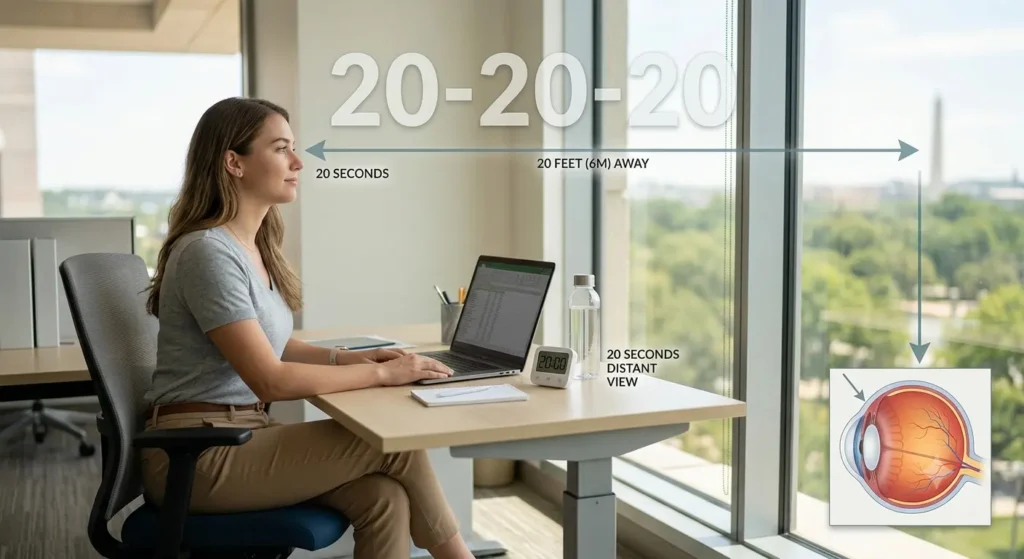
Every 20 minutes, look at something roughly 20 feet away for at least 20 seconds. This single habit gives your focusing muscles a real chance to relax instead of staying locked at one distance all day. If you remember nothing else from this guide about how to fix eye strain, remember this rule.
2. Fix Your Monitor Distance and Height
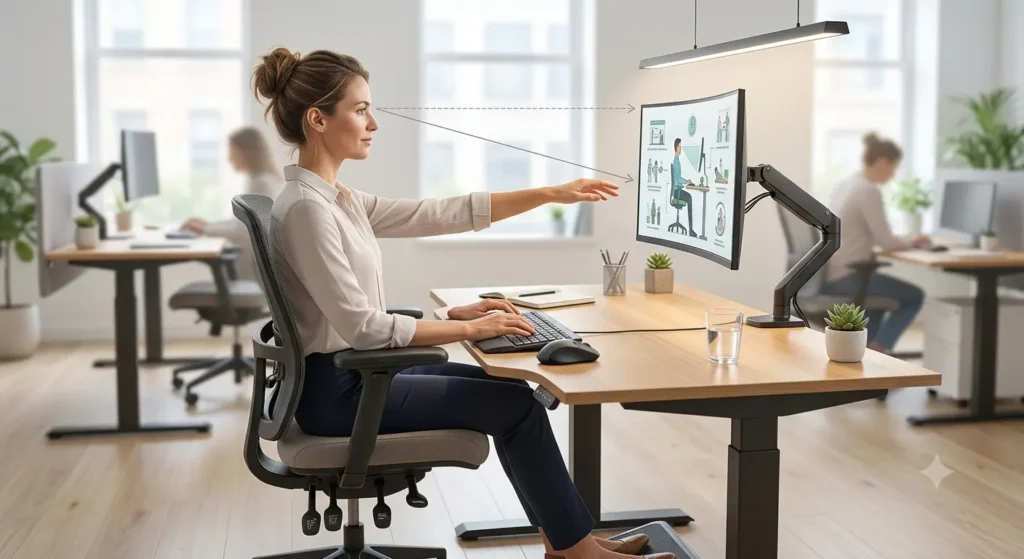
Position your screen about an arm’s length away. The top of the screen should sit at or slightly below eye level. Looking slightly downward — rather than straight ahead or up — is more comfortable for hours of use. This one adjustment alone solves a lot of computer eye strain relief complaints, and it’s often the single biggest piece of how to fix eye strain at a desk job.
3. Blink. Then Blink Again.
When you focus on a screen, your blink rate drops sharply. That’s a huge contributor to dry eyes. Consciously blink more often. It sounds too simple to work. It works anyway — sometimes how to fix eye strain really is that basic.
4. Manage Lighting and Glare
Don’t place your screen directly in front of a window or under harsh overhead lights. Soft, indirect lighting reduces the contrast between your screen and the room around it, which takes pressure off your eyes.
5. Use Artificial Tears When You Need Them
Nonprescription artificial tears relieve dryness caused by reduced blinking. Used properly and as directed, they can prevent symptoms from creeping back throughout the day. Keep a small bottle at your desk — it’s cheap insurance.
6. Try Simple Eye Exercises
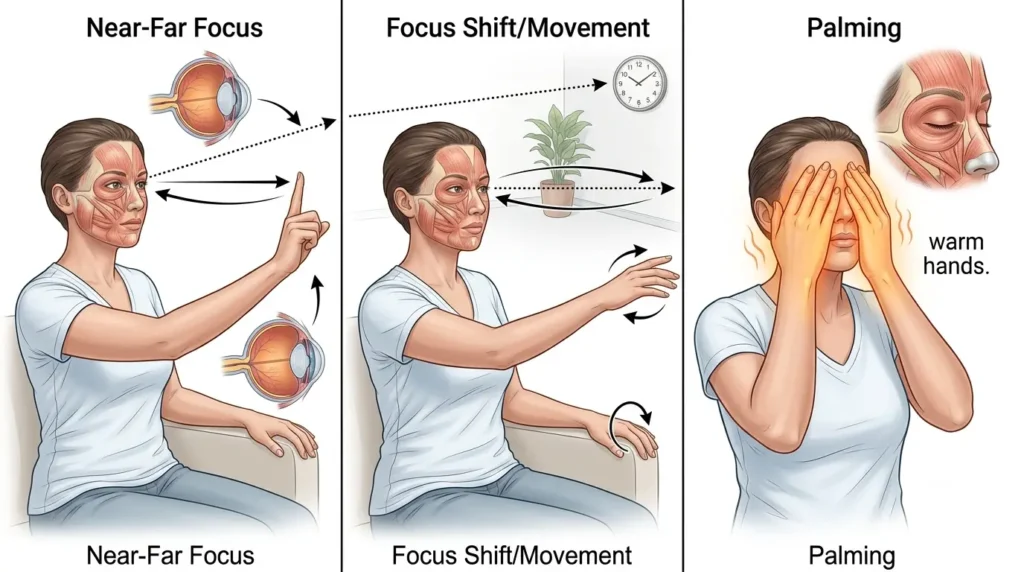
Gentle eye relaxation techniques help some people a lot. Try slowly shifting focus between a near object and something far away. Or lightly palm your closed eyes with warm hands for a minute. These eye strain exercises take almost no time, cost nothing, and are one of the easiest answers to how to fix eye strain naturally, without any equipment at all.
7. Adjust Your Screen Settings
Bump up the text size. Match brightness to the room. Improve contrast. Small tweaks like these reduce how hard your eyes work just to read comfortably.
8. Take Real Breaks
Step away from close-up tasks entirely — even for five minutes every hour. This resets your eyes and your posture in a way that a quick glance across the room never fully achieves.
Common Mistakes People Make With Eye Strain
Even good intentions can backfire. If you’re serious about how to fix eye strain for good, watch out for these mistakes:
- Sitting too close to the screen, thinking it improves clarity — it actually forces your eye muscles to work harder
- Overusing eye drops with preservatives, which can irritate eyes if used too often
- Ignoring posture, which stacks neck and shoulder strain on top of eye fatigue
- Working in a dark room with a bright screen, which increases contrast strain dramatically
- Skipping breaks because of deadlines, letting fatigue pile up instead of resetting regularly
- Assuming eye strain will just disappear on its own, without fixing your screen setup or lighting
- Never getting an eye exam, even when symptoms show up often
How to Choose the Right Approach for Your Situation
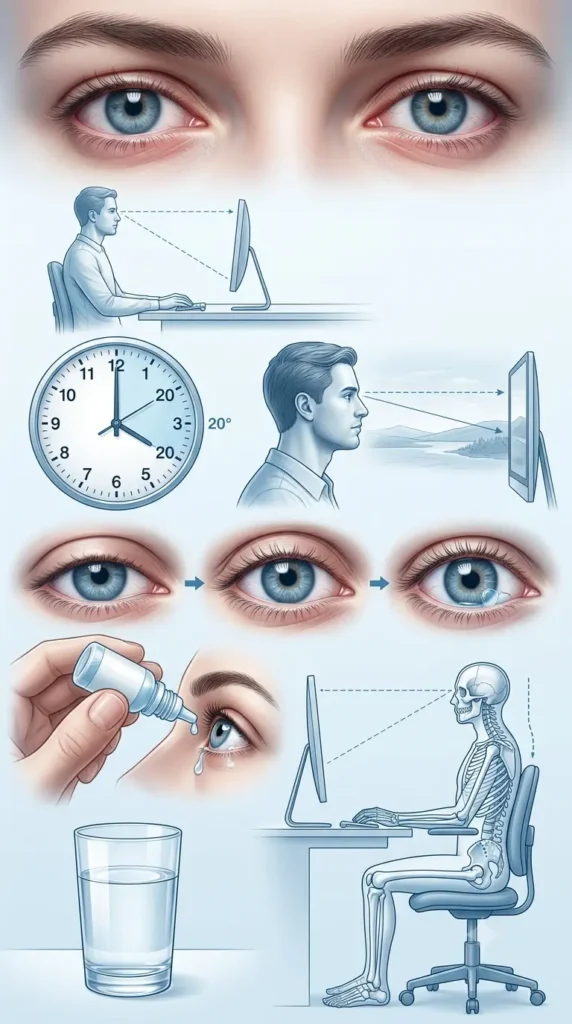
Not every fix works the same for everyone. There’s no single answer to how to fix eye strain that fits every case — think about your specific triggers first.
- Work at a computer most of the day? Prioritize monitor distance, the 20-20-20 rule, and glare reduction first.
- Read a lot? Focus on lighting placement and take breaks every 20–30 minutes.
- Drive long distances? Watch for windshield glare and take rest stops where you look at distant scenery.
- Dryness is your main symptom? Artificial tears and a humidifier — especially in air-conditioned or heated rooms — help the most.
- Wear glasses or contacts? Ask your eye doctor about lens options built for computer use. Standard prescriptions aren’t always optimized for screen distance.
If you’re just starting an eye care routine, don’t try to do everything at once. Start with the 20-20-20 rule and better lighting. You’ll notice a difference within days.
Frequently Asked Questions
How to quickly heal eye strain? If you want to know how to fix eye strain in the moment, this is it: step away from your screen or close-up task. Close your eyes for a minute. Then look at something far away for at least 20 seconds. Blink several times. Add artificial tears if dryness is part of the problem.
How long does it take for eye strain to heal? Mild eye strain usually eases within minutes to a few hours once your eyes get rest. More persistent cases might take a few days of consistent breaks, better lighting, and proper screen setup before you notice real improvement.
Can eye strain improve? Yes, and often quickly. Simple, consistent changes — the 20-20-20 rule, adjusted lighting, correct monitor distance, regular breaks — make symptoms far less frequent once they become habit.
What are signs of eye strain? Tired or heavy eyes, dryness or burning, blurred vision, light sensitivity, headaches, and neck or shoulder tension after prolonged close work or screen time.
What causes eye strain from screens specifically? Digital eye strain is generally linked to reduced blinking, screen glare, poor lighting, incorrect viewing distance, and long, uninterrupted focus at a fixed distance.
Are eye strain exercises actually helpful? Many people find simple eye relaxation techniques — focus-shifting exercises or brief palming — genuinely helpful, though results vary person to person. They work best combined with breaks and better screen habits, not as a stand-alone fix.
A Quick Note on Accuracy
This guide on how to fix eye strain is written to help you understand common causes of eye strain and widely recognized, non-medical ways to find relief. It’s based on generally accepted knowledge about eye health and screen habits. It is not medical advice, a diagnosis, or a substitute for professional care. If your eye strain is severe, doesn’t improve with rest and lifestyle changes, or comes with sudden vision changes or real eye pain, see an eye care professional. Don’t wait it out.
Final Thoughts
Eye strain is uncomfortable, but for most people, it’s manageable. If you take one thing away from this guide on how to fix eye strain, let it be this: you don’t need drastic changes — just a few consistent adjustments. Pay attention to screen distance, lighting, blinking, and regular breaks, especially the 20-20-20 rule. That combination makes the biggest difference over time, hands down.
Used properly, artificial tears and small ergonomic tweaks to your workspace add extra comfort on long or demanding days. I keep a bottle on my desk and I actually use it now — that alone changed my afternoons.
If you’ve tried these steps consistently and your eyes still feel strained, that’s your signal to check in with an eye care provider. Don’t push through it. Your eyes work hard for you every single day. A few mindful habits go a long way toward keeping them comfortable — and honestly, once you build them in, you’ll wonder why you waited so long to start.